
Cinematic Lightroom presets bring the depth, contrast, and color intentionality of motion picture film to your photography. The Visual Flow Radiant Pack delivers a rich, atmospheric look calibrated for every lighting condition you will actually encounter on a wedding or portrait shoot.

When To Use It
The Lighting Conditions That Define This Style
Golden hour and warm directional light, tungsten and mixed-light reception halls, dramatic backlit ceremonies, overcast outdoor sessions that need added depth, elopements and adventure sessions, editorial and fine art portrait work, and any situation where mood and atmosphere take priority over documentary brightness.


What Are Cinematic Lightroom Presets?
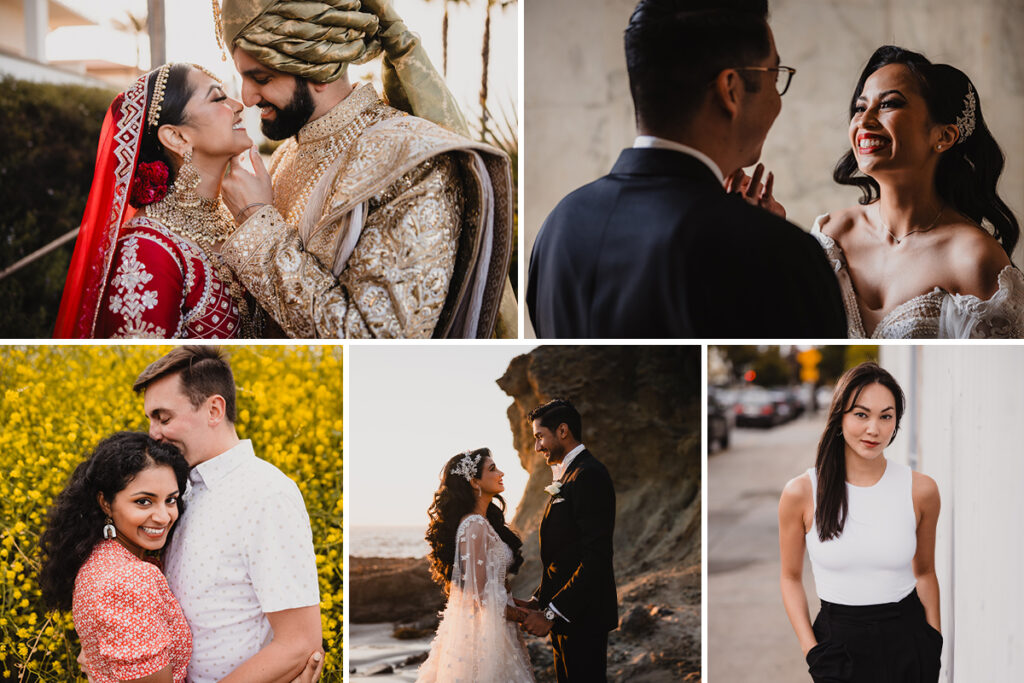
Cinematic Lightroom presets recreate the color science of motion picture film and Hollywood color grading inside Adobe Lightroom. The look is defined by rich blacks, a subtle matte finish in the shadows and highlights, controlled contrast, and a warm or neutral color palette that gives images depth and emotional weight. The result is photography that feels less like a snapshot and more like a frame pulled from a film — intentional, atmospheric, and timeless.
In wedding and portrait photography, the cinematic style is most closely associated with elopements, editorial work, dramatic ceremony moments, and any session where mood and storytelling take priority over documentary accuracy. Key descriptors include dramatic, film-like, rich, atmospheric, and narrative-driven.
Why Most Cinematic Presets Fall Apart in Real Shooting Conditions
The core problem with cinematic presets is that the color grading techniques borrowed from film and video — teal and orange shadows, lifted blacks, matte highlights — are developed for controlled, color-corrected footage. Apply them to a raw wedding gallery shot across a bright outdoor ceremony, a tungsten-lit reception hall, and a mixed-light cocktail hour, and the results are wildly inconsistent.
A cinematic preset developed for golden hour portraits will create a muddy, color-cast mess in a tungsten ballroom. The lifted blacks that look so intentional in one lighting condition look flat and underexposed in another. This is the same problem that affects every generic preset — it was built for one light and applied to all of them.
Visual Flow approaches this differently. Every preset in the Radiant Pack is developed for a specific lighting condition: soft light, hard light, backlit, tungsten, HDR natural, mixed tungsten, and more. The cinematic character — the matte finish, the rich blacks, the controlled color palette — is baked into each preset, but calibrated for the actual light you are shooting in. The look holds together across your entire gallery, not just the hero shots.
The Radiant Pack: Cinematic Lightroom Presets for Real Light
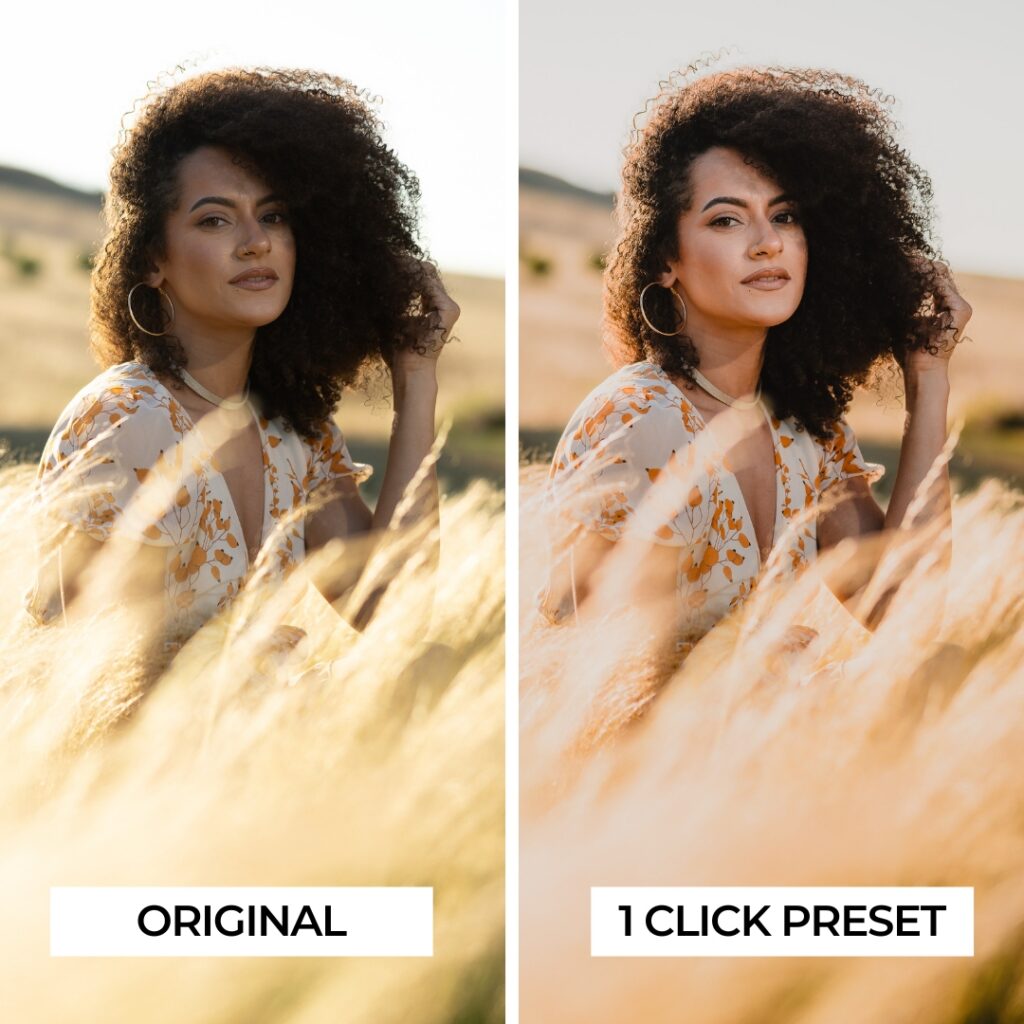
The Radiant Pack is Visual Flow’s cinematic collection. It sits between the Modern Pack and the Mood Pack in tone — warmer and more vibrant than Mood, more cinematic and matte than Modern. Think of it as a balance of the two: the warm skin tones and color richness of Modern with the cinematic matte finish and depth of Mood.
Radiant delivers rich blacks, slightly lifted highlights, and a controlled matte finish that gives images a film-like quality without losing tonal detail. The color palette is neutral enough to preserve the original character of the scene while adding cinematic depth and atmosphere. Skin tones stay warm and accurate across all lighting conditions.
Every preset in the Radiant Pack was developed by Pye Jirsa in partnership with DVLOP using the patent-pending Lighting Condition-Based Development system. The presets have been tested and refined across thousands of real wedding and portrait images spanning Canon, Nikon, Sony, Fuji, and other major camera systems.
For photographers who want a heavier, more dramatic cinematic look with deeper color shifts and stronger matte, the Mood Pack is worth exploring alongside Radiant. Where Radiant preserves more of the original image color and offers stronger contrast, Mood leans into earthy warmth, deeper desaturation, and a more overtly filmic feel.
What Makes the Cinematic Style Different from Dark and Moody
Cinematic and dark and moody are related but distinct. Dark and moody prioritizes deep shadow detail, desaturated tones, and emotional weight — the look of intimate, candlelit storytelling. Cinematic is broader: it can range from dark and dramatic to warm and golden depending on the scene, but it always has the controlled contrast, matte finish, and color intentionality of film color grading.
In practical terms, the Radiant Pack sits comfortably across both categories. It is cinematic by default but not always dark — in bright outdoor light it delivers warmth and depth without going moody. In low light it adds drama without going as far as Mood. This versatility makes it the most useful cinematic preset for photographers who shoot across diverse conditions in a single wedding day.
What Lighting Conditions Work Best
The cinematic style works across a wider range of conditions than most styles because it is defined by contrast and color treatment rather than brightness level. It performs particularly well in golden hour and warm directional light, reception halls and ballrooms with tungsten or mixed lighting, dramatic backlit ceremonies and portraits, overcast outdoor sessions where flat light benefits from added depth and contrast, and any situation where the goal is narrative atmosphere over documentary accuracy. It is less effective in very bright flat light where the matte finish can read as underexposed rather than intentional.
Compatible Software and Formats
The Radiant Pack works with Lightroom Classic, Lightroom CC, Lightroom Mobile for iOS and Android, and Adobe Camera Raw. Presets are delivered in XMP format for Lightroom Classic and DNG format for Lightroom Mobile. One purchase covers all formats and all devices.
How to Use Cinematic Presets Effectively
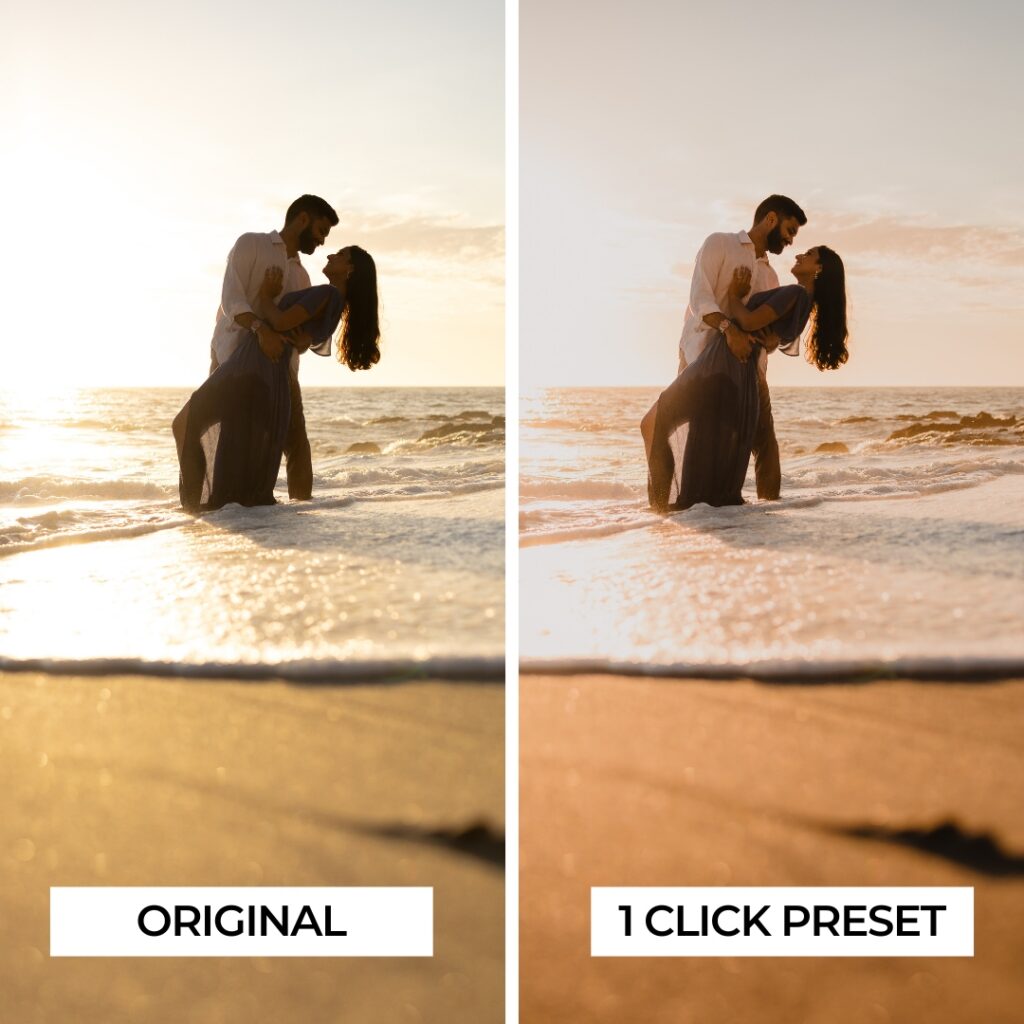
Match the preset to your lighting condition first. For a golden hour portrait session, start with the Soft Light or Backlit version. For a tungsten reception, use the Tungsten preset. Apply, then fine-tune white balance and exposure for the specific image. With Visual Flow you typically only need those two adjustments to achieve a consistent, polished result across an entire gallery.
One workflow tip specific to the cinematic style: because the matte finish lifts shadows slightly, images that are slightly underexposed will benefit from a small positive exposure adjustment before applying the preset. This gives the matte finish room to breathe without losing shadow detail.
Ready to Try It?
Get the Radiant Preset Pack
One-click results tested across 10,000+ real images, built for every lighting condition.
View the Radiant PackWant a darker, more dramatic cinematic look?
View the Mood Pack →